

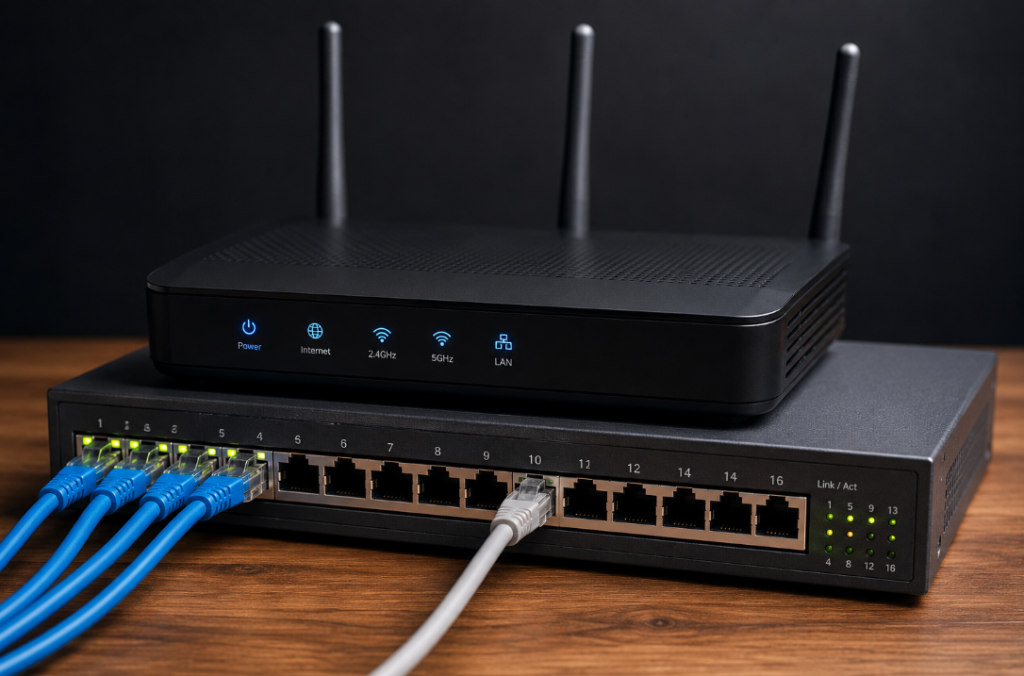
The switch: the office’s internal post room
A switch connects the devices inside your network to each other. The computers, printers, phones, servers and wifi access points all plug into it, and its job is to move data between them quickly and only to the right place. When your laptop sends a document to the printer down the hall, the switch is what makes sure it reaches that printer and not everyone else’s screen.
Think of it as the post room of the building. It knows which desk is which, takes an internal envelope, and delivers it straight to the right recipient without bothering anybody else. It is fast, it is local, and it has no real interest in the world outside the building. A bigger office simply has more switches, or larger ones, all doing the same neighbourly job. Wire several together with a spare link for resilience, though, and something has to stop that redundancy becoming a loop.
The router: the office’s front door to the world
A router does something different. It connects your network to other networks, above all to the internet. Where a switch moves traffic within the building, a router decides how traffic gets between buildings, and finds a path out to wherever it is heading. Every time someone loads a website or sends an email beyond the office, it leaves through the router.
If the switch is the internal post room, the router is the front door and the mailroom that deals with the outside world. It handles everything coming in and going out, works out where external post should be sent, and is usually where your firewall and your connection to your internet provider live. There is generally just one main one, and it is the thing that genuinely matters on the morning “the internet is down”.
Why the distinction is worth knowing
In a small office the two often arrive fused into a single unit. The box your internet provider supplies is usually a router, switch and wifi access point rolled into one, right down to handing out every device’s address, which is exactly why the words get muddled. That is perfectly fine when you are small. It tends to stop being fine as you grow, when one shared box is trying to do three demanding jobs at once and doing none of them especially well.
The practical value of telling them apart is that it makes problems, and upgrades, far easier to reason about. Slow file transfers between machines in the office point at the switching side. Trouble reaching the outside world points at the router or the connection. Keeping the guest wifi separate from the till system, or adding a resilient backup internet line, are decisions about how those boxes are arranged. You do not need to design any of that yourself. But knowing there are two jobs here, not one, is the difference between a network that was thrown together and one that was actually planned.